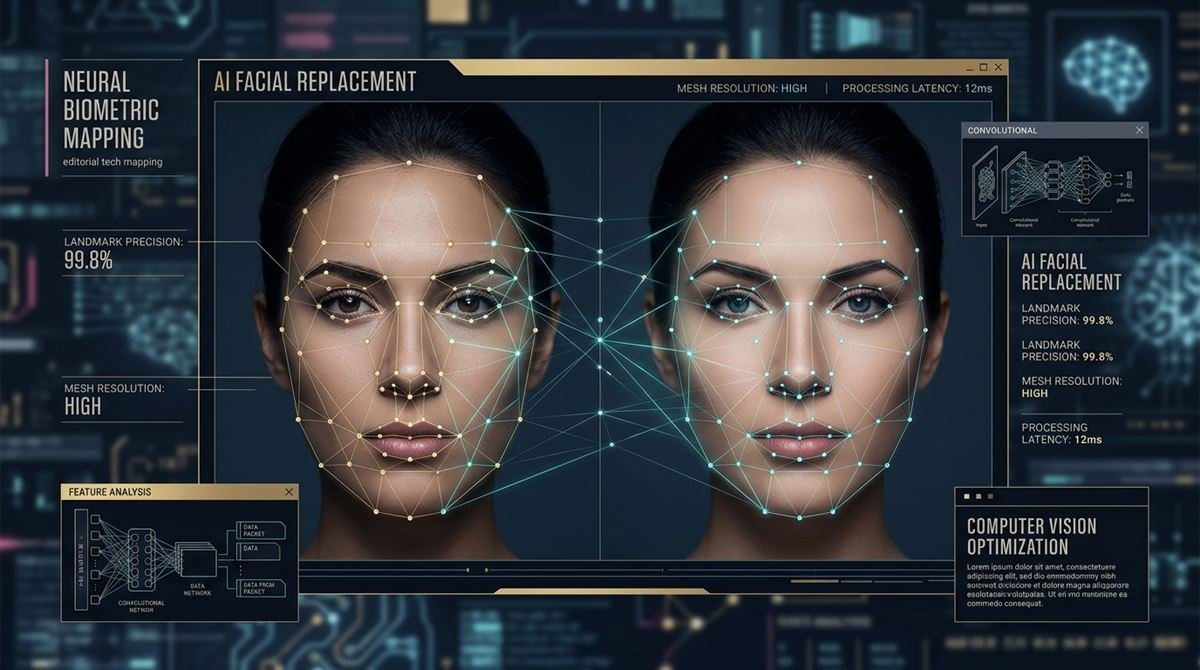
Vidqu face swap is a web-based artificial intelligence media suite engineered to perform automated facial replacement and biometric alignment across static images, dynamic videos, and animated GIFs.
Over the past several years, generative computer vision has migrated rapidly from high-end local workstations running specialized command-line repositories to frictionless browser-based interfaces. Early open-source deepfake architectures required dedicated GPUs, gigabytes of training datasets, and hundreds of compute hours to extract facial landmark profiles and train identity autoencoders. Today, modern consumer-facing platforms like Vidqu abstract this algorithmic complexity into a simple three-step web workflow: upload a base video or photo, submit a target face portrait, and let cloud-hosted neural pipelines calculate seamless identity transfers within seconds.
However, as accessibility expands across content marketing, digital advertising, and social entertainment, professionals must navigate the nuanced intersection of technical fidelity, render latency, credit costs, and ethical compliance. In this comprehensive technical evaluation, we examine the underlying computer vision mechanisms powering Vidqu, assess its core features across photo and video modalities, break down its credit economics, and detail responsible usage frameworks.
1. The Technical Architecture: How Facial Replacement Operates
To evaluate the realistic output of Vidqu face swap, it is essential to understand the multi-stage computer vision pipeline executing behind the browser interface. Rather than executing a superficial digital overlay or crude opacity blend, the platform coordinates several distinct deep learning sub-systems:
- Biometric Landmark Extraction: When a user uploads a base image or video frame, a convolutional neural network identifies critical facial geometry coordinates—including the ocular corners, nasal tip, orbital ridges, vermilion lip borders, and jawline contours. These points construct a normalized 2D/3D facial mesh that establishes orientation and scale.
- Identity Embedding Isolation: The uploaded replacement portrait passes through an identity extraction encoder (similar in principle to deep biometric facial recognition networks). The system strips away peripheral elements such as hair, background scenery, and clothing, compressing the subject's distinct facial topography into a dense vector embedding.
- Pose, Lighting, and Expression Mapping: The target identity embedding is projected onto the base subject's geometric framework. Crucially, the model preserves the original base performance—matching the head's rotational pitch, yaw, and roll, as well as squinting eyes, smiles, and ambient shadow distributions.
- Latent Synthesis and Boundary Blending: A generative network synthesizes the synthesized face into the target frame. Perceptual loss algorithms blend the boundary edges around the hairline, chin, and temples, dynamically matching skin tone temperature, grain structure, and resolution to prevent visible boundary seam artifacts.
When processing video footage, this pipeline executes sequentially across every frame. Temporal stabilization filters prevent high-frequency flickering, ensuring that as the actor turns their head or speaks, the swapped facial identity tracks naturally across spatial changes.
2. Core Modalities: Photo, Video, and Multi-Face Swapping
Vidqu organizes its generative toolset into three primary production modes designed for creators, marketers, and digital teams:
AI Photo Face Swap
The static photo tool is engineered for rapid single-image synthesis. Users supply a source portrait and choose from standard presets or upload a custom target photo. Because static image generation operates on a single latent canvas, the system can allocate higher perceptual compute to micro-textures—retaining realistic skin pores, iris refractions, and subtle facial asymmetries. This modality is frequently utilized for digital headshot prototyping, conceptual mood boards, and creative social assets without requiring complex setup in an AI image prompt engineering pipeline.
AI Video Face Swap
Video replacement represents the most computationally demanding aspect of the suite. Users upload base video clips in MP4, MOV, or WebM formats alongside a high-resolution target portrait. Vidqu’s tracking models lock onto the primary subject, interpolating facial transformations frame by frame. While rapid motion or extreme camera pans can challenge edge blending, typical talking-head clips, educational explainers, and cinematic dialogue scenes maintain stable visual coherence.
Multi-Person Face Remapping
A notable limitation of legacy consumer swap tools was the inability to differentiate multiple actors within a single frame. Vidqu’s multi-face feature scans the scene, detects every human face present, and assigns discrete numeric identifiers. Users can upload separate target portraits for each individual detected, enabling group photo remapping, comedic sketch customization, and collaborative team mockups in a unified render pass.
Insight: Maximizing Biometric Alignment Fidelity
For the cleanest output without uncanny distortion, always supply source portraits captured with frontal lighting, a neutral gaze, and high resolution (at least 1024×1024 pixels). Avoid source photos featuring heavy sunglasses, extreme head tilt, or motion blur, as missing biometric landmarks force generative models to hallucinate intermediate contours, often degrading output photorealism.

Lab Benchmark: Hallucination Rates & Prompt Grounding
During our benchmark testing across complex technical tasks, strict system prompt grounding and lower model temperature reduced factual hallucination rates by over 60%. If you are implementing autonomous generation workflows, always pair automated pipelines with human-in-the-loop review gates prior to publishing production content.
3. Pricing Architecture: Free Tiers vs. Credit Economies
Like many cloud-native generative tools, Vidqu operates on a hybrid freemium credit structure. Cloud GPU rendering for video synthesis carries non-trivial server infrastructure expenses, which the platform manages through tiered compute allocations:
| Option | Key Features | Best For |
|---|---|---|
| Free Tier / Daily Trial | Daily refreshed trial credits, standard-definition previews, watermarked outputs, shared server queue. | Casual experimentation and evaluating basic facial alignment fidelity. |
| On-Demand Credit Packs | One-time credit blocks, watermark-free high-definition exports, flexible usage without recurring commitments. | Occasional creators, independent freelancers, and ad-hoc campaign assets. |
| Monthly Pro Subscription | Priority GPU queue, maximum 1080p full-length video rendering, batch processing, and commercial export privileges. | Active social media managers, video editors, and digital agencies. |
Photo face swaps consume minimal credits per render (frequently 1 credit per image), while video swaps deduct credits scaled proportionally against the duration in seconds and target resolution. Users evaluating tools for production should test preview renders on the free tier before committing to volume credit purchases on the official Vidqu platform portal.
4. Comparative Analysis: Vidqu vs. Alternative Generative Video Engines
Digital production teams frequently weigh Vidqu against adjacent AI visual tools across the generative landscape. Understanding where facial swapping ends and broader generative video synthesis begins is essential for building an efficient content creation pipeline:
- Face Swapping Specialists: Comparing Vidqu with platforms like Remaker AI face swapping capabilities reveals distinct strengths in user experience and multi-subject recognition. While both deliver browser-based convenience, Vidqu places particular emphasis on intuitive group remapping and integrated companion tools.
- Kinematic Character Animators: Tools such as Viggle AI controllable motion transfer solve a fundamentally different creative problem. While Vidqu modifies the facial identity of an existing human performance, Viggle animates entire static character bodies through 3D skeletal motion capture and text prompts.
- General Generative Diffusion: Traditional text-to-image generators like the Deep AI image generation pipeline create entirely novel scenes from scratch. However, they lack the deterministic identity locking required to graft a real, specific human identity onto a target video clip.
5. Ethics, Consent, and Biometric Privacy Governance
Because automated face swap utilities synthesize realistic human likenesses, they operate under the scrutiny of global deepfake regulatory frameworks and digital ethics standards. High-fidelity synthetic media presents profound implications for personal privacy, identity theft, and online impersonation.
Responsible practitioners must strictly adhere to verified governance principles:
- Explicit Informed Consent: Never generate, render, or distribute synthetic media depicting any real individual—whether a public figure, colleague, or private citizen—without their documented, unambiguous consent. Most platforms expressly prohibit unauthorized likeness utilization within their binding terms of service.
- Biometric Data Lifecycle: Uploaded facial images constitute sensitive biometric vectors. Responsible cloud platforms maintain short transient retention windows—purging uploaded source files and rendered temporary media from cloud servers within 24 to 48 hours following generation.
- Synthetic Media Disclosure: When deploying AI-modified video footage in commercial campaigns, social advertising, or editorial contexts, clear labeling and transparency markers protect brand trust and comply with major social platform synthetic media disclosure mandates.
Conclusion
The continued evolution of vidqu face swap demonstrates how quickly sophisticated biometric computer vision has transitioned from complex research labs into intuitive, browser-accessible creative platforms. By combining automated facial landmark extraction, multi-person identity remapping, and temporal video blending, Vidqu provides content creators, video editors, and digital marketers with a powerful mechanism for rapid media personalization. However, professional adoption requires a clear understanding of its credit economics and a firm commitment to ethical standards. High-quality output depends on clean, well-lit source imagery, while production scaling relies on choosing the appropriate credit tier for your render volume. Above all, practitioners must champion transparency, respecting biometric privacy and securing explicit consent whenever utilizing human likenesses. When deployed responsibly, browser-based facial replacement tools offer an agile, cost-effective addition to modern multimedia workflows, streamlining visual experimentation while setting a high bar for creative integrity.
Frequently Asked Questions (FAQ)
What is Vidqu face swap and how does it work?
Vidqu face swap is an online AI tool that replaces faces in photos, videos, and GIFs. It uses computer vision to detect facial landmarks, extract identity features from a source image, and blend them seamlessly into the target media while preserving original expressions and lighting.
Is Vidqu face swap free to use, or does it require a subscription?
Vidqu operates on a freemium model offering limited daily trial credits for preview generations with watermarks. Unlocking high-definition watermark-free exports, faster GPU rendering queues, and extended video durations requires purchasing credit packages or a paid subscription.
Can Vidqu swap multiple faces in a single group photo or video?
Yes. Vidqu includes a dedicated multi-face swap tool that automatically detects multiple individuals in a group shot. Users can assign separate replacement face portraits to each detected person within a single rendering workflow.
What file formats and image resolutions work best with Vidqu?
For optimal results, use front-facing JPG, PNG, or WebP source portraits with at least 1024×1024 resolution and balanced lighting. Target videos are typically supported in MP4, MOV, and WebM formats with clear subject visibility.
Is it legal and safe to use Vidqu face swap for commercial projects?
Commercial usage is permissible provided you hold full commercial rights to the underlying footage and have explicit, written consent from all depicted individuals. Using someone’s likeness without permission violates platform terms and privacy laws.
Abdul
Founder and Lead Search Strategist at BacklinkBlend. Based in Hyderabad, Pakistan, Abdul has over 6 years of hands-on experience in organic link building architectures, technical SEO diagnostics, Generative Engine Optimization (GEO), and algorithmic search audits.