
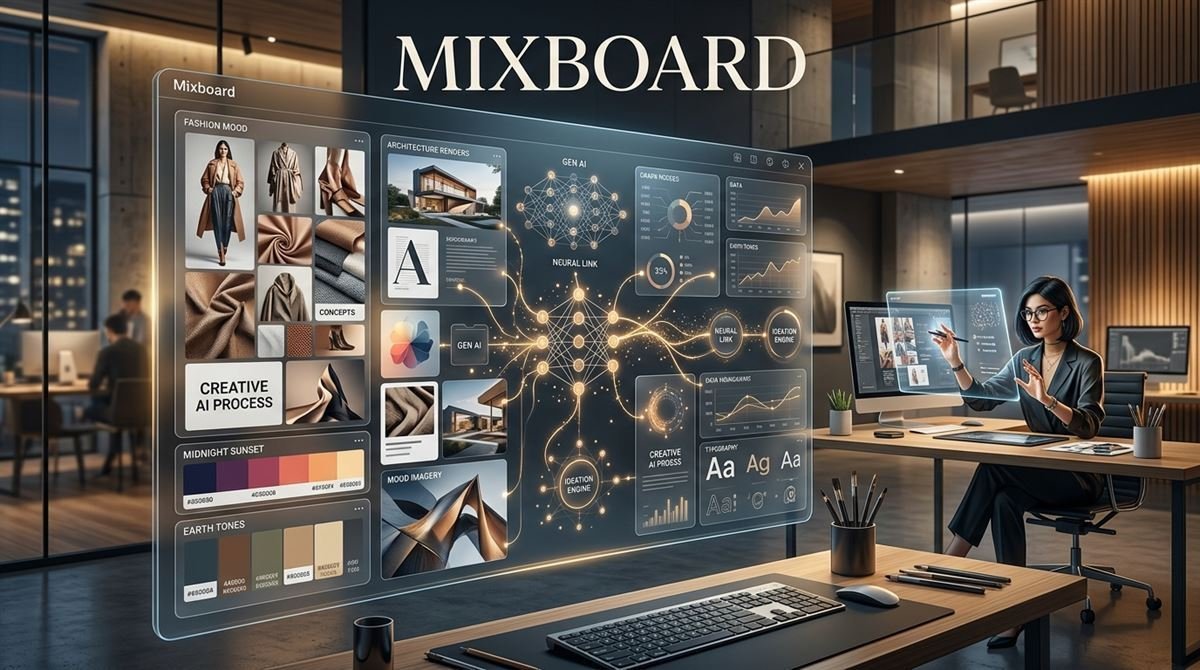
Google Mixboard is an experimental generative AI-powered concepting and visual mood board canvas developed by Google Labs, designed to enable multi-turn visual ideation, concept synthesis, and real-time image transformation using Gemini multimodal models.
In modern digital creative development, the gap between conceptual ideation and visual execution has traditionally been characterized by severe friction. Creative directors, product designers, and brand strategists have long assembled moodboards by manually searching image repositories, clipping references into static tools, and attempting to translate visual ambiance into separate generative prompts. Google Mixboard fundamentally disrupts this fragmented workflow by transforming the passive moodboard into an active, responsive generative canvas.
1. The Genesis of Google Mixboard: Concepting in Google Labs
Emerging from Google Labs—the technology giant’s incubator for speculative and breakthrough human-AI interaction paradigms—Mixboard was conceived to explore how artists, architects, marketers, and developers collaborate with foundation models in spatial environments. While conventional creative tools require users to work sequentially through text prompts or isolated raster layers, Mixboard treats the entire board as a continuous semantic landscape.
Rather than requiring users to know exact technical prompts or hyper-specific style parameters upfront, Mixboard provides a tactile, low-friction entry point. Users can initialize a board with a simple natural language prompt, select curated aesthetic baselines, or upload their own proprietary reference photographs. From that baseline, the platform deploys lightweight vision-language models—including Google’s Gemini family and experimental generative diffusion pipelines—to expand, interpolate, and refine concepts in real time.
Architectural Insight: Multimodal Context Chaining in Creative Canvases
Unlike discrete text-to-image prompts that operate in an isolated latent space, Google Mixboard leverages Gemini’s multimodal cross-attention to maintain contextual coherence across heterogeneous canvas elements. By treating adjacent images, color palettes, and typography directives as conditioning vectors, the system generates cohesive visual variations without requiring manual prompt recreation for every individual asset.
2. Core Technical Mechanics: How the Mixboard Canvas Works
At its architectural foundation, Mixboard shifts the interaction model from prompt-response mechanics to spatial manipulation. Understanding how it functions involves analyzing four core capabilities:
- Free-Form Spatial Composition: Elements on Mixboard—ranging from raw text descriptors and uploaded swatches to generated visual assets—are arranged as dynamic tiles on an infinite, zoomable canvas.
- Conversational In-Canvas Refinement: Rather than regenerating an entire composition when a detail is misaligned, users can select specific visual nodes and issue conversational adjustments (e.g., “shift to Scandinavian dusk lighting” or “render this chair in brushed matte titanium”).
- Multi-Reference Aesthetic Blending: By lassoing or selecting two or more distinct visual references on the canvas, users prompt the underlying engine to synthesize novel hybrid concepts that extract the color harmony of one image and the geometric silhouette of another.
- Automated Multimodal Annotation: Leveraging Gemini’s visual comprehension layers, Mixboard autonomously infers and annotates dominant color hex palettes, thematic motifs, and conceptual summaries across selected clusters.
This architecture represents a fundamental advancement beyond isolated text-to-image generators, shifting focus toward continuous creative momentum and relational design thinking.
3. Feature & Workflow Matrix: Mixboard vs. Traditional Moodboard Tools
To evaluate how Mixboard redefines creative workflows, it is vital to contrast its capabilities against established digital board platforms such as Milanote, Miro, or Pinterest:
| Feature / Capability | Google Mixboard (Google Labs) | Traditional Moodboard Tools (Milanote / Miro) |
|---|---|---|
| Generative Canvas Ideation | Native Gemini & generative diffusion synthesized directly on canvas | Manual upload and static curation of pre-existing external assets |
| Iterative In-Canvas Editing | Conversational natural language edits (“warm the lighting”, “change textures”) | External photo editors or raster manipulation software required |
| Multimodal Style Blending | Cross-references multiple pins simultaneously to synthesize unified aesthetics | Static juxtaposition without automated contextual synthesis |
| Automated Annotation | Vision models auto-generate palette hex codes, descriptions, and labels | Manual text notes, sticky notes, and color picker extraction |
| Target Audience | Creative directors, brand architects, UI/UX concept designers, visual artists | Project managers, general remote teams, cross-functional collaborators |
4. Enterprise & Creative Applications
While experimental, the functional architecture of Mixboard demonstrates direct utility across multiple high-value commercial domains:
- Brand Identity & Packaging Prototyping: Brand strategists can rapidly construct packaging concepts by combining corporate color palettes with textured structural renders, testing dozens of container variations in minutes.
- Architectural & Interior Design Pre-Visualization: Interior architects can upload floor plans and material samples, querying the canvas to generate daylighting variations and bespoke furniture arrangements without executing heavy 3D rendering pipeline cycles.
- Commercial Marketing & Campaign Ideation: Creative agencies can bridge client pitch decks by generating evocative campaign vignettes, pairing well-crafted AI image generator prompt engineering with real-time visual reference constraints.
- Film & Game Production Concept Art: Environment artists can blend disparate landscapes, creature silhouettes, and lighting schemes into unified cinematic storyboards, similar to advanced pipelines found in generative platforms like SeaArt AI.
As multimodal artificial intelligence architectures mature, spatial canvases will likely become the standard interface through which humans direct foundational foundation models.
5. Access, Availability, and Current Limitations
As an experimental release within Google Labs, Mixboard is accessible via the Google Labs Mixboard portal across more than 180 countries. Users log in with a standard Google account to create and manage unlimited experimental canvases.
However, practitioners should note several current operational boundaries. High-resolution vector exports remain limited, and enterprise governance controls (such as team workspace permission trees and single sign-on integrations) are still in developmental infancy. Furthermore, while the visual fidelity powered by Gemini vision layers is remarkably cohesive, complex typographic lettering and hyper-precise geometric constraints occasionally exhibit minor diffusion artifacts, requiring manual human curation before client delivery.
Conclusion
As visual ideation rapidly transitions from passive curation to generative collaboration, google mixboard establishes a compelling benchmark for modern design workflows. By uniting Google Labs’ cutting-edge multimodal vision models with an infinite, non-linear digital canvas, the platform dissolves traditional friction between conceptual brainstorming and asset production. Designers, creative directors, and product teams no longer need to alternate between disjointed search engines, raster editing suites, and static presentation decks; instead, concepts evolve organically through continuous natural language dialogue and spatial reference synthesis. While currently an experimental research preview, Mixboard’s core mechanics foreshadow the future of enterprise creative software—where artificial intelligence acts not as a blunt replacement for human taste, but as a responsive co-creator that amplifies aesthetic exploration. Creative organizations seeking to accelerate preliminary concepting cycles should actively integrate experimental canvases into their exploratory sprints. Exploring this paradigm shift today ensures that creative leaders remain at the forefront of generative visual strategy as real-time multimodal intelligence becomes the standard foundation of commercial design.
Frequently Asked Questions (FAQ)
What is Google Mixboard and how does it work?
Google Mixboard is an experimental visual concepting canvas developed by Google Labs. It allows creators to combine uploaded imagery with generative AI prompts on a free-form digital board, transforming and blending ideas through natural language conversation and spatial manipulation.
How is Google Mixboard different from Pinterest or standard mood board software?
Unlike Pinterest or Milanote, which only support the static pinboard organization of existing images, Mixboard features native generative diffusion and vision models. It actively synthesizes new visuals, blends styles from multiple references, and allows conversational real-time modifications directly on the canvas.
What AI models power Google Mixboard’s canvas?
Mixboard runs on Google’s multimodal Gemini architectures paired with specialized generative diffusion networks (including experimental pipelines such as Nano Banana). These models provide real-time image generation, cross-attention style blending, and automated visual annotation.
Who can access Google Mixboard and is it free?
Google Mixboard is currently accessible for free to users with a standard Google account through Google Labs in over 180 supported countries and regions, subject to experimental feature rollout schedules.
How can designers export and share their concepts from Google Mixboard?
Users can export individual generated visuals, copy extracted color palettes and annotations, or export their complete board as an organized visual layout to share with teammates and stakeholders during creative presentations.